
Investigate infrastructure. Give your team the sources.
Start from a domain, an IP address or a favicon. Inspect the observed connections, save the records that support your analysis and prepare a report in an engagement shared with your team.
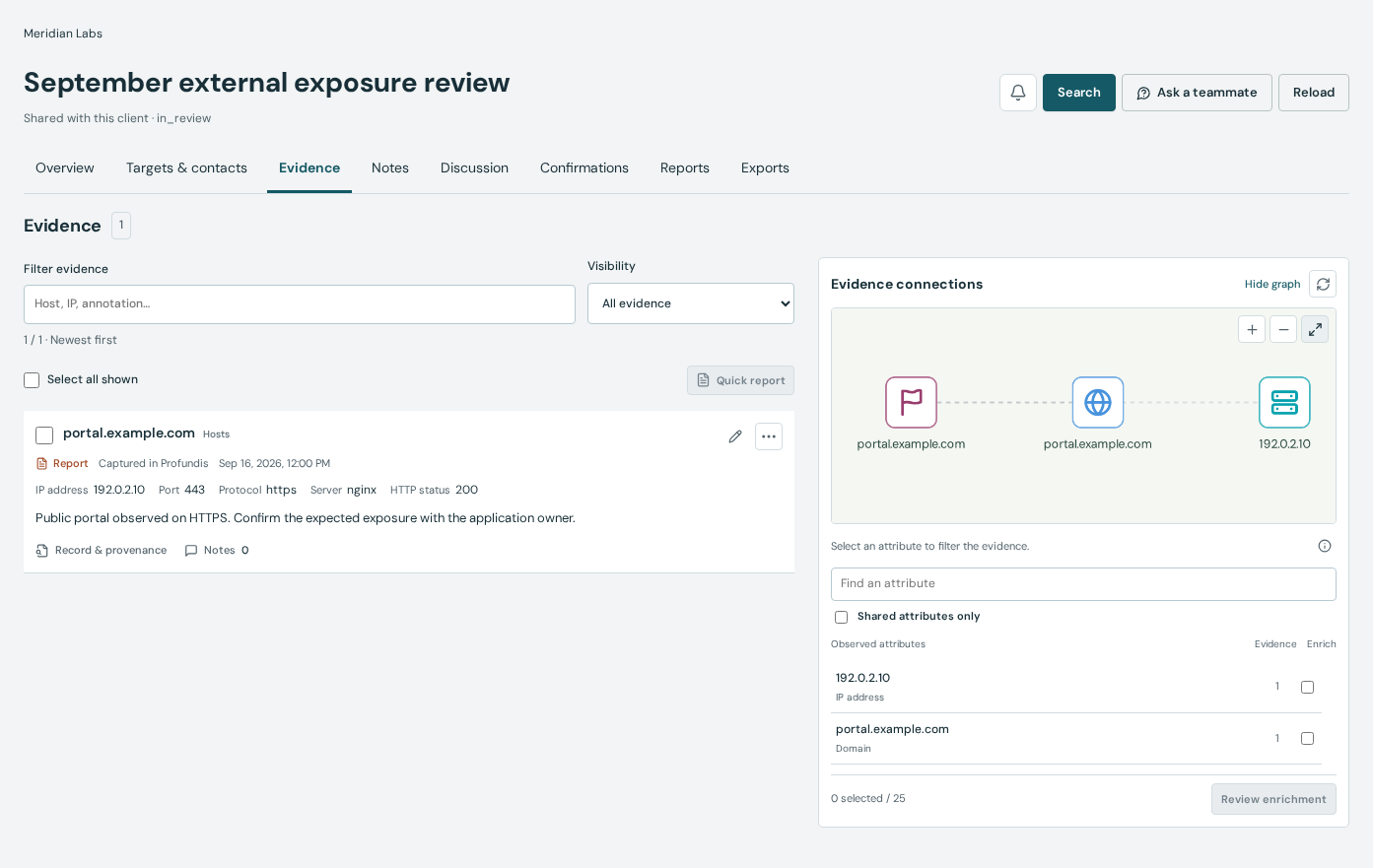
Steps
Open an engagement and define the question
Create an engagement in a client space or asset scope. Record the starting domains and the question you need to answer. Select that engagement for your research, then inspect hosts, DNS, WHOIS and certificates. Use subdomain and favicon research when they help test a lead.
Review the connections and save their sources
Use Pivot to explore observed links, then open the records supporting each connection. Save useful results as evidence in the engagement and add an annotation explaining why they matter. Keep collection dates, limitations and your interpretation visible to the colleagues reviewing the work.
Review a report version before sharing
Choose the evidence, summary, scope and recommendations for a report draft. Render a fixed version and read it before publishing it to selected client accounts or preparing a permitted expiring guest link. Rendering does not rerun the source searches.
Prepared example: follow a hostname mentioned in a certificate
Suppose a certificate record mentions app.example.com. Compare its DNS observations and hosts, then inspect any matching favicon. Save the certificate and DNS records, annotate what each observation establishes and explain the remaining uncertainty in the report. These names are examples, not a live case or a claim that Profundis holds those records.
san:"app.example.com"Data and service limitations
Profundis supports infrastructure OSINT; it is not a people-search or social-network investigation service. Shared IPs, certificates or favicons are leads and do not establish common ownership or malicious activity. Observation dates and coverage vary. Validate attribution and conclusions separately, and keep your engagement within its authorized scope.
Practical questions
Can we review evidence together?
Organization plans provide engagements, evidence and reports within client spaces or asset scopes. Access depends on membership and visibility. Save the source record and distinguish an observation from your interpretation.
Do we need a team plan for professional research?
No. Individual plans support solo research, including bug bounty reconnaissance. Teams and Business add shared investigation spaces, scoped access, organization credits and reporting.
Does sharing a report publish the investigation on the web?
No. Choose recipients or deliberately prepare a permitted guest link. A guest link grants access to its holders until it expires or is revoked; share it only with the intended recipients.
Tools and documentation
Related guides
Monitor changes across your company’s domains.
Organize company domains by scope, monitor observed DNS, hosts and certificates, review changes and prepare recurring reports with your security team.
Pentest and cybersecurity consultanciesResearch your pentest targets and save the evidence.
Prepare a pentest with host, DNS, WHOIS and certificate research. Follow infrastructure connections and keep source evidence in client engagements.
MSSPs and recurring client servicesManage monitoring and reports for each client.
Keep research separate for each client, assign credit allowances and review scheduled infrastructure changes with reports and delivery diagnostics.
Security engineering and automation teamsQuery Profundis through the API and MCP.
Connect infrastructure research to your tools with the Profundis API and MCP server. Use scoped organization credentials, credit limits and signed webhooks.