
Monitor changes across your company’s domains.
Group domains by brand or subsidiary, assign colleagues to each scope and schedule DNS, host or certificate monitoring. Your team can review changes and prepare reports in the same workspace.
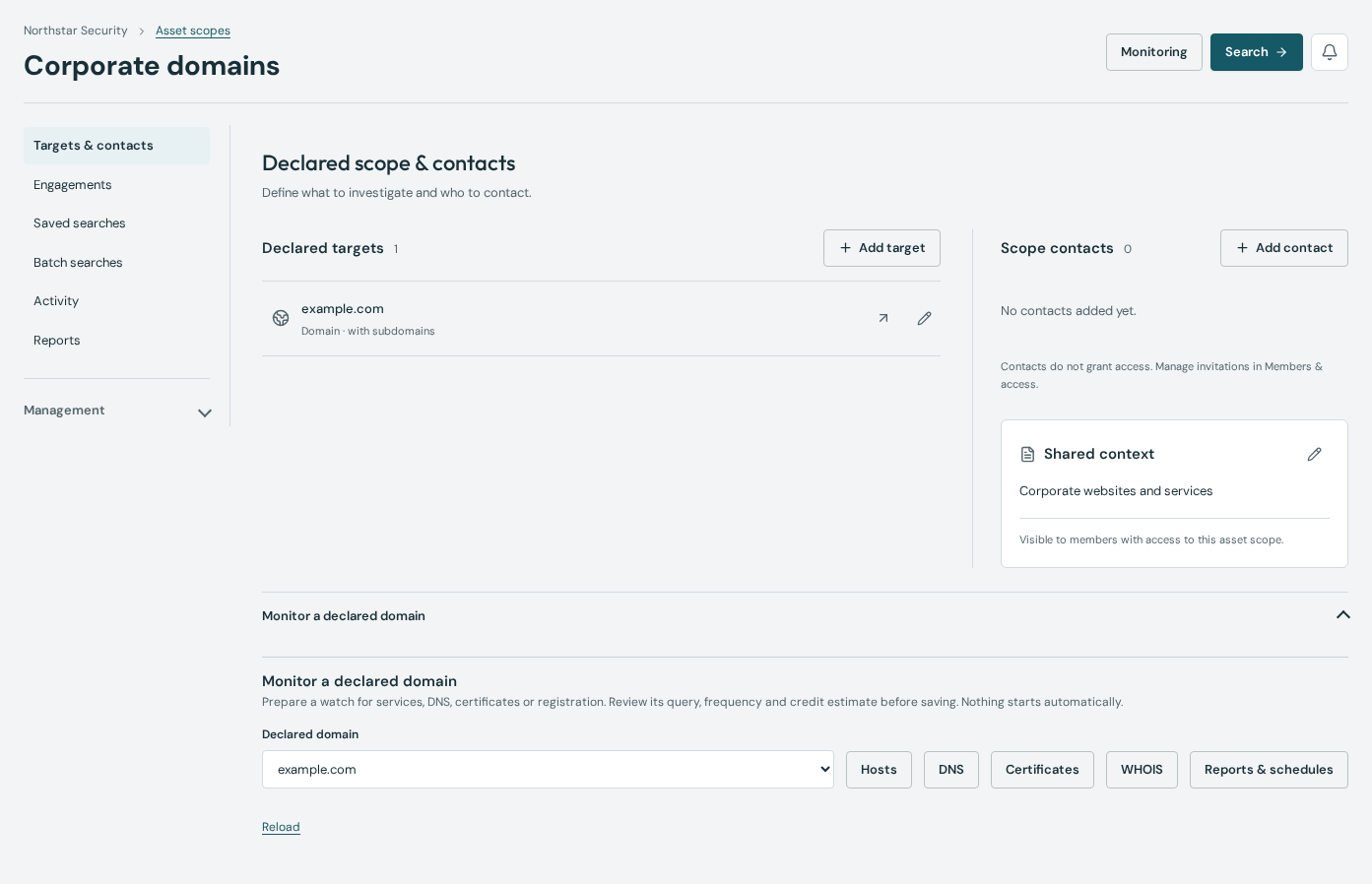
Steps
Define the scopes your team owns
Create an asset scope for a brand, subsidiary or technical perimeter. Declare its domains and assign the colleagues who should work on it. Declaring domains does not discover additional assets automatically.
Set up a monitoring query
Inspect host, DNS or certificate observations, then prepare a watch for the dataset you need. Review its query, estimate and schedule before enabling collection. Choose a daily or weekly schedule.
Review changes and prepare reports
Open the monitoring inbox from the scope. Review new observations, assign follow-up and retain the source evidence. Prepare a report from reviewed findings, or configure a recurring report schedule for your team.
Example: a brand and its regional domains
Put example.com and the regional domains your team manages in one scope. Start with DNS observations, inspect related hosts and add a certificate watch where useful. Review a newly observed address before deciding whether it belongs in an investigation.
host:"example.com"Data and service limitations
Monitoring follows records observed by Profundis. Collection can be partial and a newly observed record is not necessarily a newly created asset. Shared IP addresses or certificates do not, by themselves, establish ownership. Monitoring does not replace an authenticated asset inventory or a vulnerability scanner.
Practical questions
Does declaring a domain start monitoring?
No. Declare your scope, prepare the query and explicitly enable the watch. Searching and scheduled collection use the applicable credits.
Can we separate subsidiaries without separate subscriptions?
Teams and Business support multiple asset scopes under one organization, with shared credits and scoped access. The number of active asset scopes depends on the plan.
Tools and documentation
Related guides
Research your pentest targets and save the evidence.
Prepare a pentest with host, DNS, WHOIS and certificate research. Follow infrastructure connections and keep source evidence in client engagements.
MSSPs and recurring client servicesManage monitoring and reports for each client.
Keep research separate for each client, assign credit allowances and review scheduled infrastructure changes with reports and delivery diagnostics.
Security engineering and automation teamsQuery Profundis through the API and MCP.
Connect infrastructure research to your tools with the Profundis API and MCP server. Use scoped organization credentials, credit limits and signed webhooks.